Sign in - Done
Description
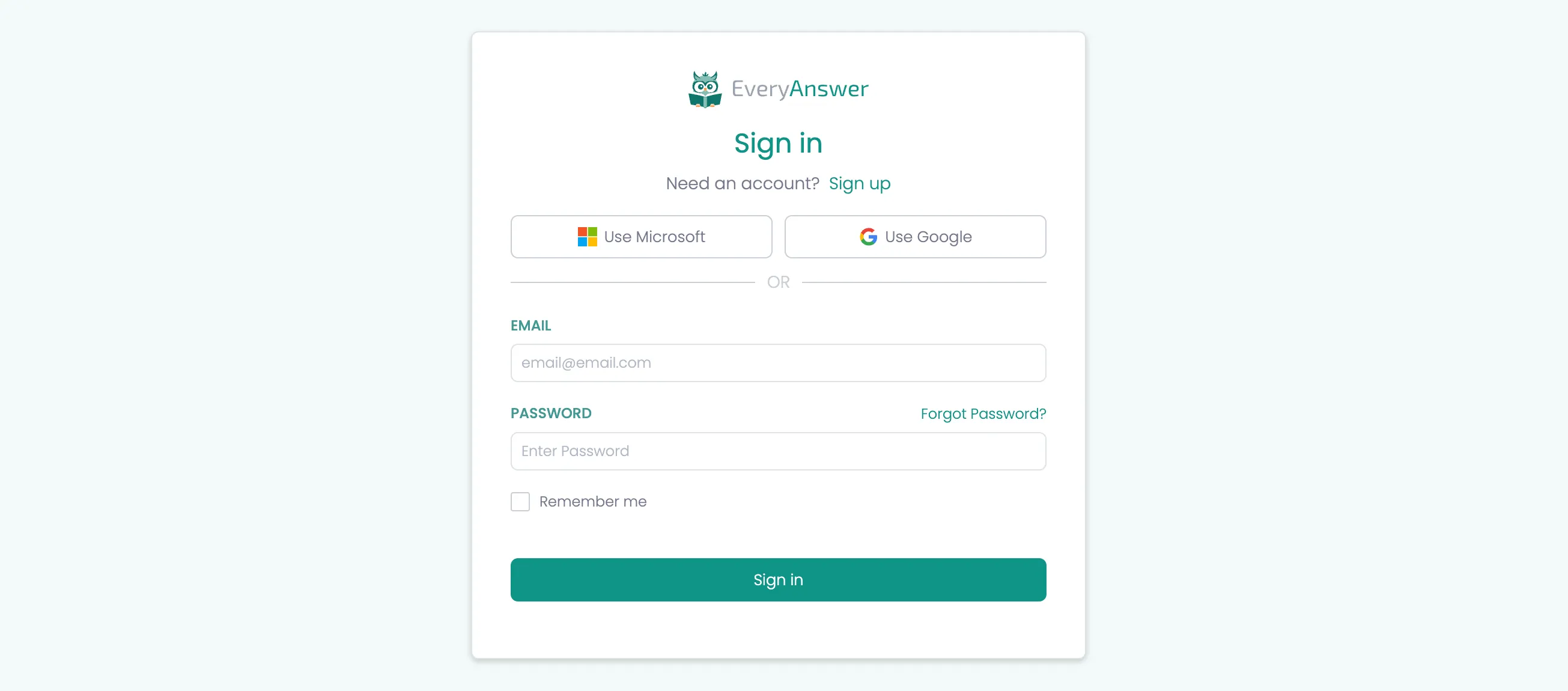
The sign-in form allows users to log in with email and password credentials while supporting future integration with Single Sign-On (SSO) providers like Microsoft and Google.
Key Sections
SSO Container
- Purpose: The sso-container is designed for future Single Sign-On (SSO) integration.
- Current State: It can be hidden or omitted until we are ready to build SSO.
Adding New SSO Providers
Add a new button inside sso-button-grid:
<a href="#" class="button tertiary">
    <div class="button-icon">
        <svg>{SSO Provider Logo}</svg>
    </div>
    <div>Use {SSO Provider Name}</div>
</a>Note: We should probably have two options of SSO provider icons, one for light backgrounds one for dark if we are making these a common module.
Form Section
HTML Structure
<div class="auth-page-wrapper">
    <div class="modal-container">
        <!-- Logo Section -->
        <div class="modal-logo-container">
            <img src="{app logo}" alt="{app name}" loading="lazy">
        </div>

        <!-- Heading Section -->
        <div class="modal-heading-container">
            <h1 class="modal-h1">Sign in</h1>
            <div>Need an account? <a href="#">Sign up</a></div>
        </div>

        <!-- SSO Container (Optional) -->
        <div class="sso-container">
            <div class="sso-button-grid">
                <a href="#" class="button tertiary">
                    <div class="button-icon">
                        <svg>Icon</svg>
                    </div>
                    <div>Use Microsoft</div>
                </a>
                <a href="#" class="button tertiary">
                    <div class="button-icon">
                        <svg>Icon</svg>
                    </div>
                    <div>Use Google</div>
                </a>
            </div>
            <div class="separator">
                <div class="separator-line"></div>
                <div>or</div>
                <div class="separator-line"></div>
            </div>
        </div>

        <!-- Form Section -->
        <div class="w-form">
            <form id="sign-in-form" name="sign-in-form" method="post" class="form" aria-label="Sign In Form">
                <!-- Email Field -->
                <div class="form-field-container">
                    <label for="email" class="field-label">Email</label>
                    <input
                        id="email"
                        name="email"
                        class="form-field w-input"
                        type="email"
                        placeholder="[email protected]"
                        maxlength="256"
                        required
                    >
                </div>

                <!-- Password Field -->
                <div class="form-field-container">
                    <label for="password" class="field-label">Password</label>
                    <input
                        id="password"
                        name="password"
                        class="form-field w-input"
                        type="password"
                        placeholder="Enter Password"
                        maxlength="256"
                        required
                    >
                </div>

                <!-- Remember Me Checkbox -->
                <div class="form-field-container">
                    <label class="checkbox-field">
                        <div class="w-checkbox-input w-checkbox-input--inputType-custom checkbox"></div>
                        <input
                            type="checkbox"
                            id="remember-me"
                            name="remember-me"
                            style="opacity:0;position:absolute;z-index:-1"
                        >
                        <span class="checkbox-label" for="remember-me">Remember me</span>
                    </label>
                </div>

                <!-- Submit Button -->
                <input type="submit" class="button full w-button" value="Sign in">
            </form>
        </div>
    </div>
</div>